


Your private
mood journal

Feelings, gratitude and goals — one warm, safe place

A space of your own to reconnect with yourself, every day. Track your mood, clear your mind and build habits that do you good. We never see what you write.

Your private mood journal — BrightLog
  • Stays on your device, seen only by you
  • Works offline
  • No account needed
  • Free — no in-app purchases
  • 82 feelings to name how you feel

Everything you need, in one calm place

How are you, really? Track your mood, keep a diary, note the good things, build small habits and take a breath. One private place, just for you — no clutter, no pressure, no streak-guilt.

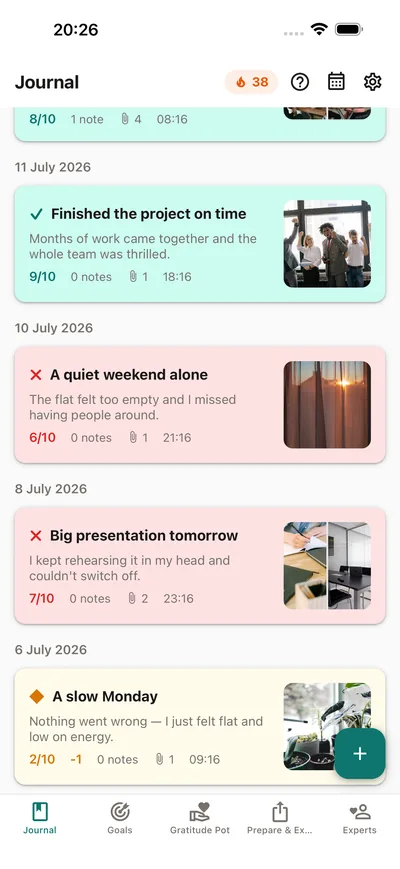
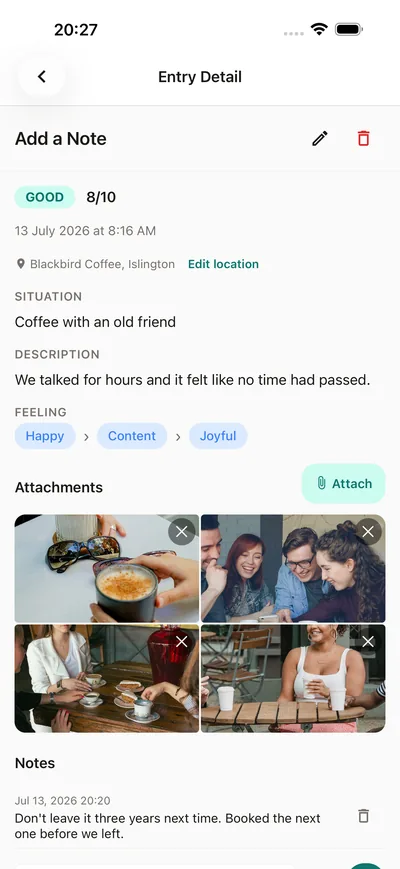
Keep the moment,
photos and all

Your photos, your words, the feeling — in one entry

Keep the moment, photos and all — BrightLog

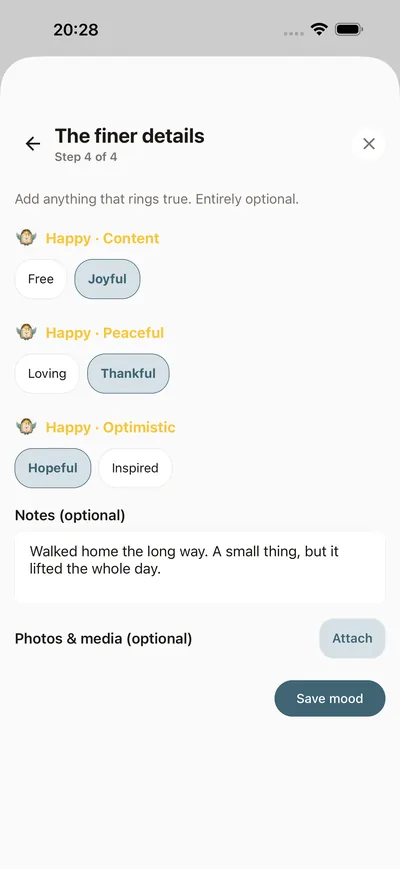
Your daily
mood check-in

Four guided steps — name the exact feeling, add a note

Your daily mood check-in — BrightLog

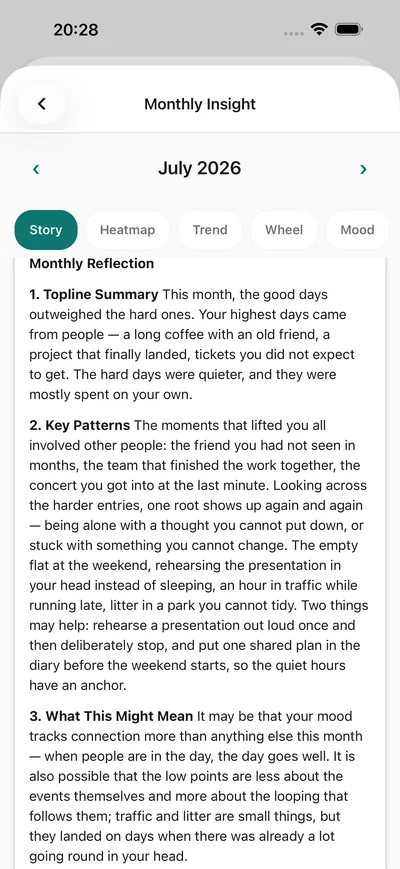
Understand
your patterns

Gentle AI insights, drawn from your own words

Understand your patterns — BrightLog

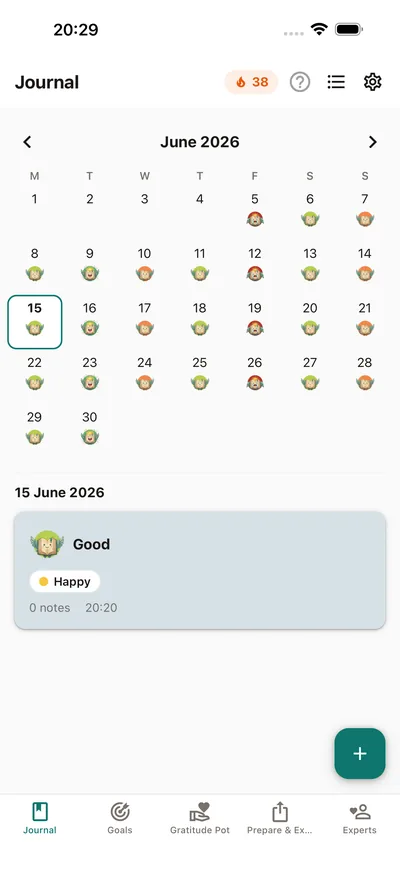
See your month
at a glance

Every entry and mood, on one calendar

See your month at a glance — BrightLog

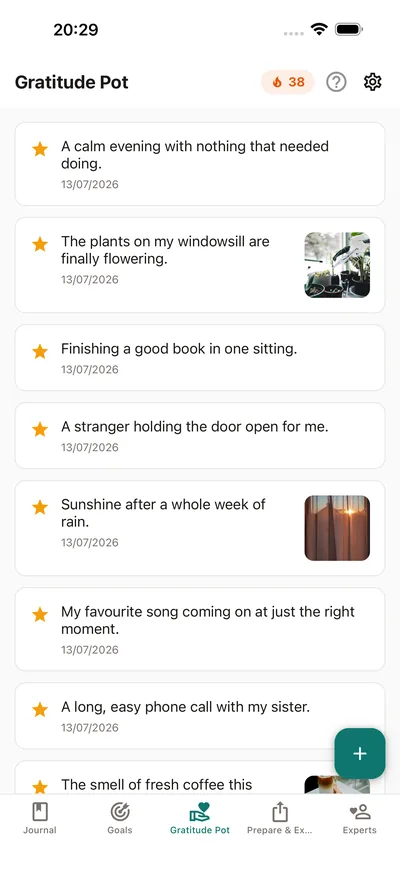
Collect your
little joys

A gratitude pot that fills up as you do

Collect your little joys — BrightLog

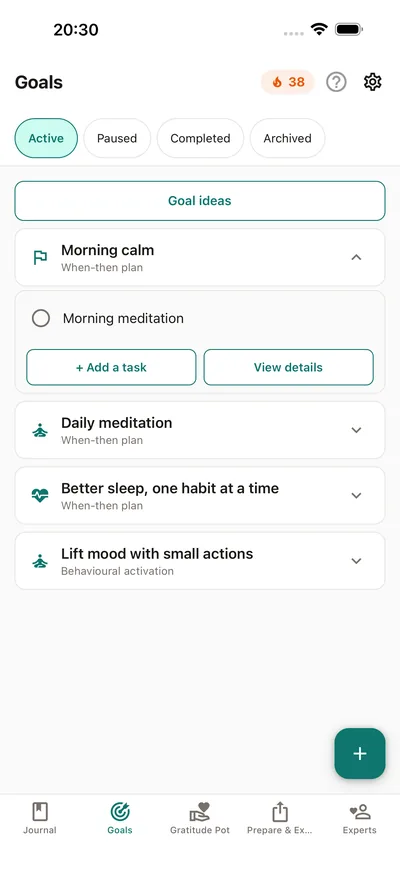
Small steps,
big changes

Goals, habits and reminders that fit your life

Small steps, big changes — BrightLog

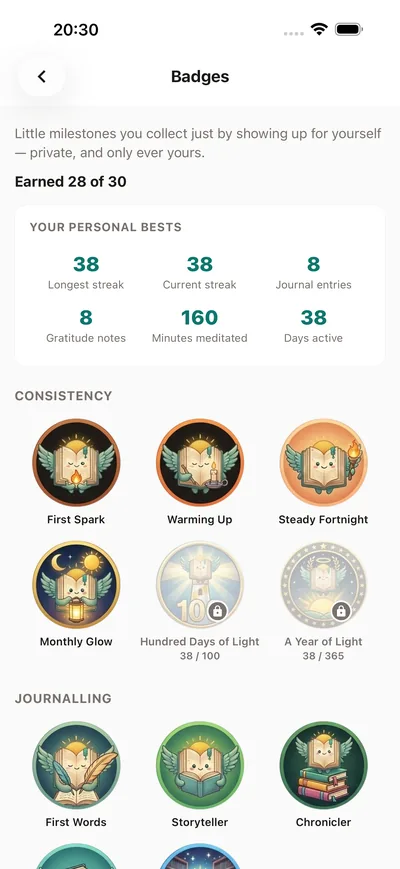
Celebrate
every step

Badges and days in a row, cheered on all the way

Celebrate every step — BrightLog

Question
the thought

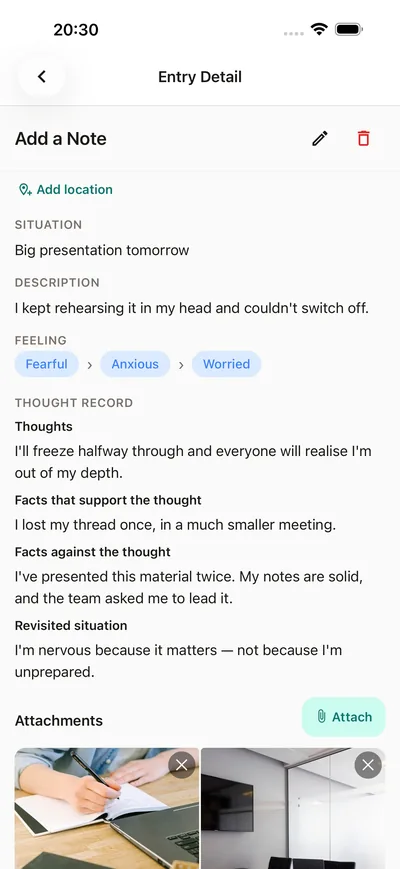
Facts for, facts against — then look at it again

Question the thought — BrightLog

Breathe, and let
the day settle

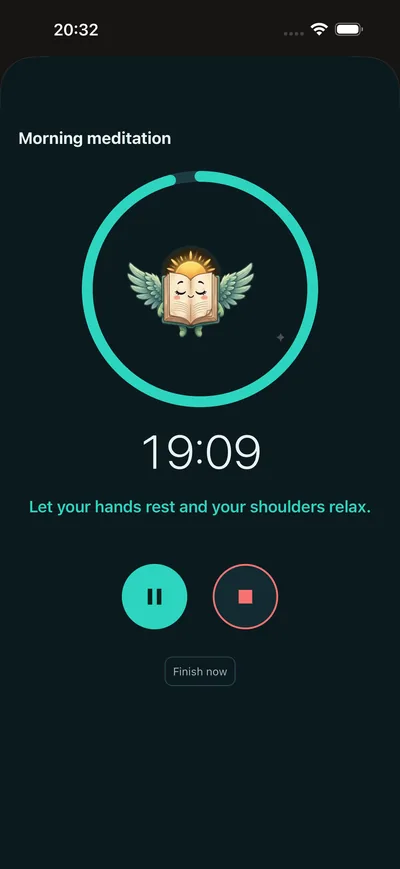
Guided sessions with calm cues — and they work offline

Breathe, and let the day settle — BrightLog
BrightLog’s winged-book mascot ringing a small bell — daily nudges are on

Gentle by design

Small moments of care, all through the day

Looking after yourself starts small. A glass of water, a stretch, a minute outside, a kind word: gentle reminders that fit your day, and go softer on a hard one. Tap Done and the moment counts.

  • Daily nudgesKind lines, written by people with care. You choose how many, when and which kinds — and you can mute today or take a week off.
  • Your weekSee how far you’ve come: a ring for each goal, twelve weeks side by side and next week’s plan. Never a red day.
  • What lifts youRate how a task felt and discover what really lifts you. Next week, you build on what works.
How the nudges work

What you can do with BrightLog

YOUR PRIVACY, YOUR RULES

We never see what you write. Your information never leaves your device, and you don’t need an account to start. A backup, only if you choose one, goes to your own iCloud on iPhone and iPad or your own Google Drive on Android, so it stays yours.

HOW ARE YOU FEELING TODAY?

Sometimes a few seconds is all it takes to pause and check in with yourself. That is self-care too. Log your mood in a tap: Awesome, Good, Not sure, Bad or Terrible.

FIND THE WORDS FOR WHAT YOU FEEL

The feelings wheel gives you 82 words, starting from seven core emotions. Naming a feeling is the first step to understanding it.

WHEN ANXIOUS THOUGHTS WEIGH HEAVY, SHIFT YOUR PERSPECTIVE

With a thought record from cognitive behavioural therapy, you note what happened and what went through your mind. You weigh the facts for and against, and find a more balanced view. One thought at a time, even when anxiety runs high.

YOUR DIARY, YOUR STORY

Write freely, or simply speak and watch your words appear. Add photos, videos, voice notes and documents. With a photo, you see straight away where it was taken.

LEARN TO SAVOUR THE LITTLE THINGS

Collect the good things in your Gratitude Pot: a sentence, a photo, a video. Each day, BrightLog brings one back to you. Because even on the hardest days, there’s room for something good.

BUILD HABITS THAT DO YOU GOOD

You don’t have to change everything overnight. Pick a goal, get inspired by ten Goal ideas or create your own, with daily reminders, even for taking your medication. Take a break: no day counts as missed. When you reach a goal, BrightLog celebrates with you, and you can share it as a picture.

SEE HOW FAR YOU’VE COME

A ring for every goal and twelve weeks side by side: notice your progress and find fresh motivation.

LITTLE ACTS OF SELF-CARE

Gentle nudges through your day: a glass of water, a quick stretch, a kind word to yourself.

FIND YOUR CALM WITH MEDITATION

A meditation timer from 5 to 30 minutes, soothing sounds or silence, and simple prompts for your breath and body.

GET TO KNOW YOUR PATTERNS

Monthly and yearly insights show your journey in five views: Story, Heatmap, Trend, Wheel and Mood. A clearer picture of your mental health. Export it as a PDF.

WALK INTO THERAPY WITH A CLEARER HEAD

It isn’t always easy to remember everything you wanted to say in a session. Choose the dates, and BrightLog gathers your moods, diary entries, notes and goals into one tidy summary, ready to share as a PDF. You arrive knowing what you want to talk about, and your therapist gets the bigger picture. In the Experts tab, you’ll find psychologists and counsellors near you.

ALWAYS WITHIN REACH

Home screen widgets: log your mood and tick off today’s habits.

EVERY MILESTONE DESERVES TO BE CELEBRATED

30 badges for journaling, mood, gratitude and habits: every step forward counts.

NOT SURE WHERE TO START?

Tap the ? on any tab for a short, friendly guide.

YOUR SPACE, EVERY DAY

Dark mode and 20 languages. A calmer, healthier lifestyle and better mental wellbeing, one small step at a time. BrightLog is your diary. Your thoughts stay yours. We never see what you write.

We never see what you write — everything stays on your device

Your diary is your safe place, and it stays yours — not as a promise, but because that is how BrightLog is made.

  • We never see what you writeYour words stay on your device. You don’t need an account, and your information never leaves it.
  • Backups go to your cloud, not oursOnly if you choose one: your own iCloud or Google Drive. It stays yours.
  • Your photos and voice notes tooEverything you add stays on your device, right next to your words.
  • Lock it with your face or fingerprintTurn on App Lock and BrightLog opens only for you, with Face ID, Touch ID, your fingerprint or your device’s screen lock.
  • No account neededOpen the app and start writing. Sign in only if you want a backup, insights or therapy preparation.

Frequently asked questions

Does BrightLog read my journal?

No — and we never will. Your information never leaves your device, and we never see what you write. A backup, only if you choose one, goes to your own iCloud or Google Drive, so it stays yours.

Is BrightLog really free?

Yes. BrightLog is free on the App Store and Google Play: no in-app purchases, no subscription. Everything on this page is included.

Does BrightLog work offline?

Yes, almost everything. Your journal, moods, gratitude, goals, nudges, thought records, meditation and the feelings wheel work anywhere, even with no signal. Insights, therapy preparation, backup and finding professionals nearby need the internet.

Do I need an account?

No. Open BrightLog and start writing straight away. Sign in only if you want a backup to your own iCloud or Google Drive, or insights and therapy preparation.

What are daily nudges?

Little reminders to look after yourself through the day: a glass of water, a stretch, a minute outside, a kind word. Answer with Done, Later or Not today. Choose how many, when and which kinds in Settings › Notifications › Daily nudges.

Can BrightLog help me build habits and reach goals?

Yes, one small step at a time. You don’t have to change everything in a day: pick one of the Goal ideas or create your own, start small, and tick it off in one tap. Your week shows how far you’ve come, and you can take a break whenever you need one. When you reach a goal, BrightLog celebrates with you, and you can share the moment as a picture.

What is the feelings wheel?

Some days, “fine” or “bad” isn’t the whole story. The wheel helps you find the word that really fits: powerless, anxious, overwhelmed, hopeful. Not sure? Tap Help me log and BrightLog walks you there step by step.

Can I back up my journal and move it to a new device?

Yes. Back up to your own iCloud on iPhone and iPad, or your own Google Drive on Android: open Settings › Backup & Restore and tap Back Up Now. On your new device, sign in with the same account and pick the backup to restore.

Does BrightLog collect any data about me?

Never what you write, your photos or your voice notes: they stay on your device, and we never see them. The privacy policy explains everything in full.

Can I share what I have written with my therapist?

Yes. Sometimes it’s hard to remember everything you wanted to say in a session. On the Prepare & Export tab, tap Prepare Your Therapy Session and choose the dates: BrightLog gathers your mood, what kept coming up and your goals into a clear summary in seven parts, ready to share as a PDF. Looking for someone to talk to? The Experts tab lists professionals near you.

Can I delete everything?

Yes, whenever you like. Sign in, open Settings and tap Delete All BrightLog Data at the top. Your entries, media and backups are deleted, you’re signed out, and the app starts fresh. The delete-my-data page shows every step.

Start your journal tonight

Free on iPhone, iPad and Android. A couple of minutes a day, a few kind reminders — and every word stays yours.